Sunday, April 6, 2014


Thursday, March 27, 2014
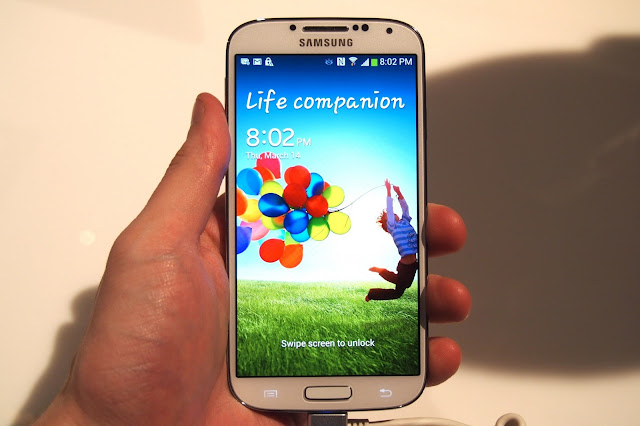
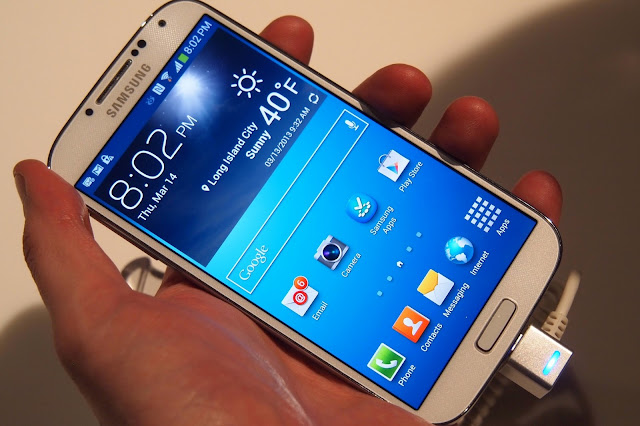
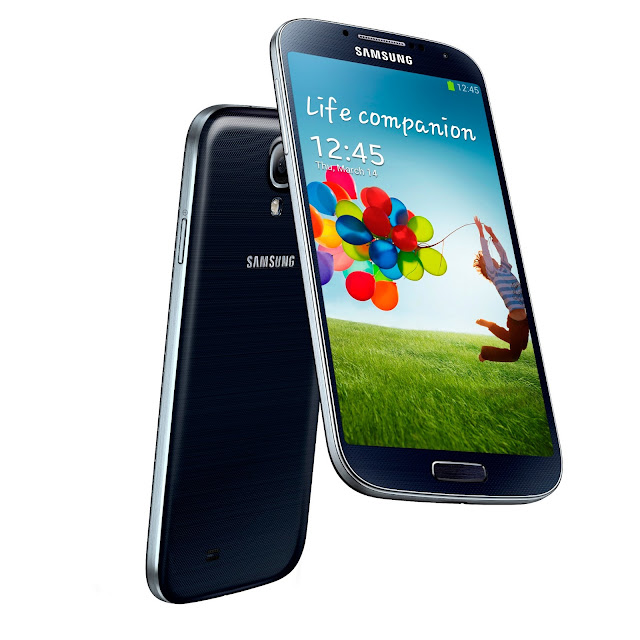
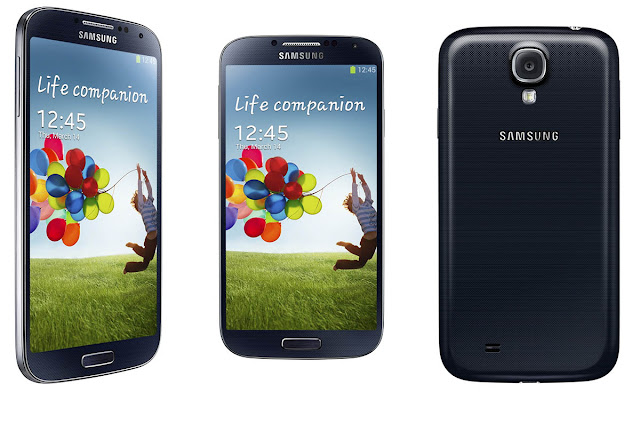


Samsung Note GT-N7000 Specifications
Samsung Note GT-N7000 Specifications

Samsung Note GT-N7000 Specifications
Platform Band
GSM&EDGE Band : 850 / 900 / 1,800 / 1,900 MHz
3G Band : 850 / 900 / 1,900 / 2,100 MHz
Network&Data
GPRS : 850 / 900 / 1,800 / 1,900 MHz
EDGE : 850 / 900 / 1,800 / 1,900 MHz
3G : HSPA+ 21 Mbps
Operation System
Android 2.3 (Gingerbread)
Browser
Android Browser
Regional Availability
Global
Physical Specification – Weight 178 g
Dimension(HxWxD) – 146.85 x 82.95 x 9.65 mm
CPU – ARM cortex A9
CPU Clock Rate – Dual 1.4 GHz
Design Form Factor – Full Touch
Display Internal – Technology : 13.44 cm (5.29) WXGA HD sAMOLED, Resolution : 800 x 1,280
Size : 13.44 cm
Samsung Note GT-N7000 is one of the latest android Samsung mobile which has excellent features like Immersive screen sensiablity with smartphone portability, Full screen flexibility, Free Camera capturing and creation what a stylish model to consume. Samsung Note G-N7000 is latest model which is established with all advance technology. To get Our 4Generation technology experience by using Samsung Note GT-N7000
Samsung Note GT-N7000 Specifications
Platform Band
GSM&EDGE Band : 850 / 900 / 1,800 / 1,900 MHz
3G Band : 850 / 900 / 1,900 / 2,100 MHz
Network&Data
GPRS : 850 / 900 / 1,800 / 1,900 MHz
EDGE : 850 / 900 / 1,800 / 1,900 MHz
3G : HSPA+ 21 Mbps
Operation System
Android 2.3 (Gingerbread)
Browser
Android Browser
Regional Availability
Global
Physical Specification – Weight 178 g
Dimension(HxWxD) – 146.85 x 82.95 x 9.65 mm
CPU – ARM cortex A9
CPU Clock Rate – Dual 1.4 GHz
Design Form Factor – Full Touch
Display Internal – Technology : 13.44 cm (5.29) WXGA HD sAMOLED, Resolution : 800 x 1,280
Size : 13.44 cm
Samsung Galaxy S3 Korean 4.1.1 Androd Mobile Phone


- Type: Samsung
- Type: samsung glaxy s3
100% internet mobile with play store
- MTK MT6577 1.2GHz processor, GPU: PowerVR SGX531
- Support GSM & WCDMA 3G network
- 1GB RAM / 2GB ROM
- 8MP rear camera, 2MP front camera
- Support WiFi, Bluetooth, GPS
- Android 4.1.1 OS (upgraded on Aug 13)
- Support GSM & WCDMA 3G network
- 1GB RAM / 2GB ROM
- 8MP rear camera, 2MP front camera
- Support WiFi, Bluetooth, GPS
- Android 4.1.1 OS (upgraded on Aug 13)
Model: S3
Carrier: Unlocked
Phone Style: Bar
Operating System: Android 4.1.1 OS
Processor: MTK MT6577 1.2GHz dual-core
Phone Style: Bar
Operating System: Android 4.1.1 OS
Processor: MTK MT6577 1.2GHz dual-core
Display
Screen Size: 4.8inch
Display reulotion: 1280x720
Screen Technology: Multi-touch Screen
Screen Size: 4.8inch
Display reulotion: 1280x720
Screen Technology: Multi-touch Screen
Camera
Camera Resulotion: 5MP back camera 2MP front camera
Color:Pebble White/Blue
Connectivity
Connectivity Technology: GSM network & WCDMA
Standard SIM card:
This phone has Single Sim card And Dual Sim
Network Band: GSM 850/900/1800/1900 MHz & WCDMA 850/2100MHz
Data Technology: GPRS, EDGE, HSDPA
Bluetooth: Bluetooth 2.0
WLan: Wi-Fi IEEE 802.11 b/g/a
USB: USB 2.0
GPS: GPS, built-in GPS chipset
Camera Resulotion: 5MP back camera 2MP front camera
Color:Pebble White/Blue
Connectivity
Connectivity Technology: GSM network & WCDMA
Standard SIM card:
This phone has Single Sim card And Dual Sim
Network Band: GSM 850/900/1800/1900 MHz & WCDMA 850/2100MHz
Data Technology: GPRS, EDGE, HSDPA
Bluetooth: Bluetooth 2.0
WLan: Wi-Fi IEEE 802.11 b/g/a
USB: USB 2.0
GPS: GPS, built-in GPS chipset
Other Features
Video Player: AVI MP4 3GP MOV MKV FLV
Audio Player: FLAC APE MP3 OGG AMR AAC
Image: JPG PNG BMP GIF
Ringing Tones: Downloadable
Message: SMS, MMS, Email
Phone Book: More than 10000 contacts
Brower: HTML
Game: Downloadable
Radio: FM Radio
G-sensor: Yes
Interface/Port: 3.5mm earphone jack / mini USB
Video Player: AVI MP4 3GP MOV MKV FLV
Audio Player: FLAC APE MP3 OGG AMR AAC
Image: JPG PNG BMP GIF
Ringing Tones: Downloadable
Message: SMS, MMS, Email
Phone Book: More than 10000 contacts
Brower: HTML
Game: Downloadable
Radio: FM Radio
G-sensor: Yes
Interface/Port: 3.5mm earphone jack / mini USB
Battery
Battery:2500mAh(Battery changable)
Standby Time: 120-150 hours
Battery:2500mAh(Battery changable)
Standby Time: 120-150 hours
Memory
Built-in Memory: 1GB RAM / 2GB ROM
Memory Card: Support 32GB Max
Built-in Memory: 1GB RAM / 2GB ROM
Memory Card: Support 32GB Max
Size
Dimensions: 136.6x70.6x8.6mm
Weight: 125g
Weight: 125g
Language: English, French, Deutsch, Spanish, Portuguese, Russian, Arabic, Indonesian, Italy, Malay, Turkish,polish,dutch,Greek,japese,Vietnamese, Thai, Chinese and other 25 countries language.
Note:this is the best samsung galaxy s3 clone,it come with samsung logo and box,you can use original S3 accessories on this phone.
What in Package
1 * Samsung Galaxy S3 Android Phone
1 * USB Data Cable
2 * Batteries
1 * User manual(English)
1 * S3 screen protector(GIFT)
Note:this is the best samsung galaxy s3 clone,it come with samsung logo and box,you can use original S3 accessories on this phone.
What in Package
1 * Samsung Galaxy S3 Android Phone
1 * USB Data Cable
2 * Batteries
1 * User manual(English)
1 * S3 screen protector(GIFT)

Sunday, February 16, 2014
MacBook Air
Apple hasn’t done so much innovation the last two years, mainly just updates to already released products. I think that will change in 2014. Apple needs to innovate again this year, and that’s what they are planning to do, I am sure of that.
 I believe 2014 will be the year when Apple will release a bigger iPhone, hopefully at least 5-inch, personally I like the 5.2-inch form factor better, and if they do, they will definitely be in the game again, and highly interesting. They will take a lot of market shares from Android if they do that. Again, they have to do that this year.

Another revolutionizing innovation I think they will do this year, is evolving the 11-inch MacBook Air to be more like an iPad Air (could even become the same product), with a touchscreen and be able to run iOS apps too. It will be possible thanks to a new kind of hybrid ARM / Intel based processor. That would be my dream device, an 11-inch MacBook Air with a touchscreen and with all the awesome iPad apps that are available, but still not so closed down as an iPad is, it will be open as a MacBook.
This new hybrid iPad/MacBook will be called iPad Pro and be around 12-inch (actually same physical size as the 11-inch MacBook Air, but even lighter).
I think these are the things Apple will do this year to be in the game again, and be even more popular than they already are. I think that is enough for Apple to “revolutionize” the mobile market again. And yes, I know that these kind of devices already exist, made both by many Android manufacturers, and also by Microsoft, but that is not the same thing, these kind of new devices has to be made by Apple to take the technology forward, to innovate. We have seen it happen before with both the smartphone and the tablet.
Another revolutionizing innovation I think they will do this year, is evolving the 11-inch MacBook Air to be more like an iPad Air (could even become the same product), with a touchscreen and be able to run iOS apps too. It will be possible thanks to a new kind of hybrid ARM / Intel based processor. That would be my dream device, an 11-inch MacBook Air with a touchscreen and with all the awesome iPad apps that are available, but still not so closed down as an iPad is, it will be open as a MacBook.
This new hybrid iPad/MacBook will be called iPad Pro and be around 12-inch (actually same physical size as the 11-inch MacBook Air, but even lighter).
I think these are the things Apple will do this year to be in the game again, and be even more popular than they already are. I think that is enough for Apple to “revolutionize” the mobile market again. And yes, I know that these kind of devices already exist, made both by many Android manufacturers, and also by Microsoft, but that is not the same thing, these kind of new devices has to be made by Apple to take the technology forward, to innovate. We have seen it happen before with both the smartphone and the tablet.
Sony Xperia Z1
Sony Xperia Z1 is one of the best smartphones released in 2013. It has an incredible 20.7 megapixel camera that takes unbelievable good still photos. It’s waterproof and has a very high build quality made with only metal and glass. The Xperia Z1 has a great battery life too, with the large 3000mAh battery.
Because it’s a camera phone it has quite large bezels at the top and bottom, and a dedicated camera button, that makes it both easier to hold and take photos with


Friday, July 5, 2013


Sony Xperia S ,
Sony Xperia S ,

12 Megapixel Camera, 32GB storage, Black Color
- 32GB (Gigabytes) Internal storage memory
- 12 MP, 4000x3000 pixels, autofocus, LED flash, 1080p video recording
- check quality Features Geo-tagging, touch focus, face and smile detection, 3D sweep panorama, image stabilization
- 2.1 MP Front Camera with sub-gigapixels in it.
- 1.5GHz Dual Core Processor
- Upgraded to v4.0.4 Ice Cream Sandwich
- Supports Video Calling (i.e. Skype)
- Officially Jellybean 4.1.2 Official Updated
Accessories with mobile.
- Sony xperia S Mobile (Black Color)
- Non-removable Li-Ion 1750 mAh battery
- Original charger
- Original Micro USB Cable
- original BOX
- 3 manuals Books
- in-ear headset.
- original screen protector on screen
- Extra sony xperia s cover case
Monday, June 17, 2013
Top 10 Tips And Tricks For Samsung Galaxy S4
Top 10 Tips And Tricks For Samsung Galaxy S4
provided by

 Samsung released their Galaxy S4 smartphone late last month and given that users are still in the process of exploring how the device works and discovering new functionalities, we have compiled a list of tips and tricks that will improve the experience for users.
1. Make the battery last longer
Although it is not a new trick, there are ways to make the battery of the S4 last a little longer, allowing users to squeeze a bit more juice out of it. In the settings, there is an option for Power Saver. Enabling this modet will limit the maximum performance of the CPU, use low power levels for the screen and turn off the haptic feedback. Each of these functions can be turned on or off individually, but acting together, users will be able to get a couple of extra hours out of it. Also, when not in a Wi-Fi, make sure to turn it off, as well as the NFC and Bluetooth.
2. Safety assistance
With Africa being a rather dangerous place, having a mobile phone in an emergency situation could prove vital. The Galaxy S4 has a handy application that will help users in just such a situation, and it is called Safety Assistance in the My Device menu. What the app does is in the event of an emergency situation, a message will be sent to up to four different contacts. By pressing the Volume Up and Down buttons simultaneously for three seconds, the phone will take a photo with the front and back camera. It will then send these images as well as your location to the four pre-determined contacts. Users will also be able to edit the emergency message that will be sent along with the images, as well as message intervals.
3. Easy Home screen
Having a new toy to play with is always exciting, but it can also be a bit daunting to explore all the options. Samsung has built in a handy setting for the Home Screen offering users the choice of a simplified version. Easy Mode enables larger icons making life a lot easier for first-time smartphone users.
 4. Music by the mood
Music plays a large part in the lives of many smartphone users and Samsung has an option to play songs that suit every mood. In the Music app, users can scroll over to the Music Square option and Samsung will arrange songs in a grid form, making them available for pre-selection by users. This works well with a large library, and some of the moods include Exciting, Joyful, Calm and Passionate.
5. Take pictures without pressing a button
As part of Samsung’s innovative drive to include more options and improvements, the S4 features a whole suit of voice-activated functions. As part of this, users will be able to take pictures without touching the screen. When Voice Control is activated, users will be able to take photos by only saying Cheese or Shoot. It takes a short while for the phone to register that a command has been initiated, but it takes images rather stunningly none the less.
6. Keep track of what you eat
Apart from music, health is also an important aspect for many smartphone users. The S4 comes pre-installed with S-Health, a new app that allows users to keep track of calories burnt during exercise, and the calorie intake menu allows users to keep track of what they have eaten, as well as measure their calorie intake. When connected to the internet, users will be able to find a vast number of local dishes for input, such as Steers and Wimpy meals.
7. Screen grabs made easy
Often users would like to take a screen shot of their phone for any number of reasons – be it a game highscore, internet speed or a message. There are a number of ways in which users can take a screen shots easily, but it is not something that is widely publicized. The easiest way of doing it (which was also possible with the S3), is to swipe across the whole screen with the side of the users hand. This will automatically take a screen shot and place it in the Gallery. The other way is to press and hold the home button and the power button down at the same time.

8. Translations in a flash
Going to a foreign country with a different official language could pose a challenge to many travellers. While connected to the internet, the translation app called S Translator can translate text and spoken word from 10 different languages, including French, Spanish, German and even Japanese. All that users need to do is input the desired phrase, select the languages for translation, and watch the magic happen.
9. Open two different apps on the same screen
Every so often, users want to open two different apps at the same time in the same window. Up until now, it has not exactly been possible (until Samsung’s OS update rolled it out to the S3), but the S4 now has the Multi Window functionality built in. To activate the Multi Window, touch and hold the Back key. From the tray, drag an app icon onto the screen to open it. To open a second app, drag it over the open app and drop it in the right or left side of the split-screen display. Resize the app windows by dragging the slider bar between them. The Multi Window tray will also give users quick access to other apps, instead of having to go through the menus.
10. Make TouchWiz go faster
 Samsung makes use of the TouchWiz interface (its the way the operating system overlay looks and feels), but while it is pretty responsive straight out of the gate, users will be able to squeeze a bit more performance out of it. By enabling the Developer Tools (by going to About Phone and tapping BUILD NUMBER for 7 times), users will see the option to turn off Windows animation scale, Transition animation scale and Animator duration scale. While it reduces some of the fancy animations during screen transitions, TouchWiz will be a lot faster and more responsive.
Apple reveals iOS 7

Apple reveals iOS 7
provided by


After weeks of speculation of what the new iOS will look like, Apple finally took the wraps off iOS 7 to show the world what Johnny Ive's vision for IOS is. We'll save the comments for an article later but here is the press release from Apple detailing some of the features. What stands out, other than the design, is a newer and more natural voice for Siri, Control Center for toggles, iTunes Radio and enhanced Photos and multi-tasking.
Apple® today unveiled iOS 7, the most significant iOS update since the original iPhone®, featuring a stunning new user interface. iOS 7 is completely redesigned with subtle motion, an elegant color palette and distinct, functional layers that make it feel more alive. The typography has been refined for a cleaner, simpler look, and the use of translucency and motion makes even simple tasks more engaging. iOS 7 has hundreds of great new features, including Control Center, Notification Center, improved Multitasking, AirDrop®, enhanced Photos, Safari®, Siri® and introduces iTunes Radio™, a free Internet radio service based on the music you listen to on iTunes®.
“iOS 7 is the most significant iOS update since the original iPhone,” said Craig Federighi, Apple’s senior vice president of Software Engineering. “To create it, we brought together a team with a broad range of expertise from design to engineering. With what we’ve been able to achieve together, we see iOS 7 as an exciting new beginning.”
“There is a profound and enduring beauty in simplicity, in clarity, in efficiency. True simplicity is derived from so much more than just the absence of clutter and ornamentation—it’s about bringing order to complexity,” said Jony Ive, Apple’s senior vice president of Design. “iOS 7 is a clear representation of these goals. It has a whole new structure that is coherent and applied across the entire system.”

iOS 7 is completely redesigned with an entirely new user interface, but will be instantly familiar to the hundreds of millions of iPhone, iPad® and iPod touch® users around the world. The new interface actually makes your phone appear bigger because everything is designed to take advantage of the entire screen. The redesigned fonts look amazing on the Retina® display, creating even sharper text.
iOS 7 introduces Control Center. Now the controls you want to access quickly are all in one convenient place. With just one swipe from the bottom of your screen, you have access to controls for Airplane Mode, Wi-Fi, Bluetooth or Do Not Disturb, and the ability to adjust screen brightness, pause or play a song, jump to the next track and stream your music with AirPlay®. Control Center also gives you instant access to apps such as Clock, Camera, Calculator and the Flashlight.
With iOS 7, Notification Center is now available from the Lock screen so you can see all your notifications with a simple swipe, and the new Today feature in Notification Center gives you an at-a-glance view of your day with a summary of the important details such as weather, traffic, meetings and events.
With improved Multitasking in iOS 7, developers have the ability to enable any app to multitask in the background with a new API. Users have the ability to switch between their apps in a more visual and intuitive way, and iOS 7 pays attention to which apps you use most and automatically keeps your content up to date in the background.
AirDrop is an entirely new way to quickly and easily share content with people nearby. When you’ve got something you want to share, AirDrop shows you your contacts close by. Just select who you want to share with and AirDrop does the rest. AirDrop transfers are peer-to-peer so you can use it anywhere, without any network or set up required, and transfers are fully encrypted so your content is protected and private.
iPhones are used to take more photos around the world every day than any other camera, and with iOS 7 the new Camera app features filters so you can add real-time photo effects. The Camera app now includes a square camera option, and you can quickly and easily switch between your four cameras—video, photo, square and panorama—with just a swipe.
iOS 7 includes a redesigned Photos app that introduces Moments, a new way to automatically organize your photos and videos based on time and location. You can zoom out to see all your photos organized by Moments, Collections of Moments and Years. iOS 7 includes iCloud Photo Sharing, the easiest way to share just the photos you want with just the people you want. With iCloud® Photo Sharing, family and friends can contribute their own photos and videos to your shared photo streams, and the new Activity view displays updates from your shared streams all in one place.
Safari’s redesigned user interface lets you see more of your content—starting with full-screen browsing. The new smart search field helps simplify searching, and there’s a new view for your bookmarks and your Safari tabs. With iCloud Keychain®, your passwords and credit card information are securely stored and available on all your devices, so navigating password protected sites or autofilling during transactions is simple and secure. Enhanced Parental Controls allow you to automatically block access to adult websites or only allow access to a specific set of permitted websites.
Siri sounds better than ever with new male and female voices and includes Twitter search integration, so you can ask Siri what people are saying on Twitter*. Siri also now has Wikipedia integration, providing access to the world’s most popular Internet reference site. Siri offers Bing web search within the app and the ability to change device settings and play back voicemail.
 The Music app has a beautiful new design and includes the new iTunes Radio, a free Internet radio service featuring over 200 stations and an incredible catalog of music from the iTunes Store®, combined with features only iTunes can deliver. iTunes Radio is the best way to discover new music. When you tune into iTunes Radio on your iPhone, iPad, iPod touch, Mac®, PC or Apple TV®, you’ll have access to stations inspired by the music you already listen to, Featured Stations curated by Apple and genre-focused stations that are personalized just for you. iTunes Radio evolves based on the music you play and download. The more you use iTunes Radio and iTunes, the more it knows what you like to listen to and the more personalized your experience becomes. iTunes Radio also gives you access to exclusive “first listen” premieres from top selling artists, Siri integration plus the ability to buy anything you hear with just one tap.
With over 900,000 apps, the App Store℠ is the world’s largest app marketplace. iOS 7 now features Popular Apps Near Me, a new way to find apps based on your current location, and iOS 7 will automatically keep your apps up to date. The App Store also comes with a new Kids category, allowing teachers and parents to easily discover apps for children by age.
Additional new iOS 7 features include:
a new Find My iPhone Activation Lock feature that requires your Apple ID and password before you can turn off Find My iPhone, erase data or re-activate a device after it’s been remotely erased;
Night Mode in Maps that responds to ambient light when you use it in the dark;
FaceTime® audio for high quality calls over a data network;
Notification sync, so when you dismiss a notification on one device it is dismissed on all of your devices;
Phone, FaceTime and Messages blocking to prevent specific people from being able to contact you;
Tencent Weibo support for users in China, a Chinese-English bilingual dictionary, and improved Chinese input including handwriting recognition for multiple Chinese characters;
the ability for businesses to more efficiently deploy and manage iPhones and iPads; and
enhanced in-car integration, bringing an Apple designed experience into the car for the first time.
iOS 7: what to expect
iOS 7: what to expect

Rex- Apple’s Worldwide Developers Conference kicks off on 10 June and among the things we expect to see unveiled is iOS 7, the latest edition of the operating system for the iPhone, iPad and iPod touch. Apple CEO Tim Cook recently revealed that iOS 7 could be a drastic departure from the iOS we’re used to, with Apple’s British-born design chief Sir Jony Ive taking the helm and steering the user interface and look away from skeuomorphism and taking a more minimalist approach. “What is skeuomorphism?” we hear you cry. Well, on the digital front it’s a design approach that incorporates the look of real-life materials and textures as a way to add familiarity. In the case of iOS, this means on-screen buttons and sliders that appear to be made from shiny metal, Game Center’s green baize table or the calendar’s liberal use of leather. How might Apple reinvent iOS? Read on and find out.... (Please note, a lot of the images used in this gallery are concept designs and not official shots of iOS 7)

imjeanmarc- Also rumoured to be getting the flat black and white treatment is the iOS notifications panel, which currently rocks a skeuomorphic cloth-textured background. This will be replaced by a flat black or dark grey panel with white text. Again (assuming the sources are correct) the digital metaphors and shininess are being stripped out in favour of something much flatter and arguably cleaner: think Windows Phone, with its flat, colour-block tiles. There’s also a chance we’ll see a lot of extra interactivity built into the notifications panel, and more access to information at a glance. So there might be weather info and localised news feeds included – a little like the notification bar widgets on Android. There may also be a panel to quickly let users access Wi-Fi and Bluetooth controls, and to toggle Airplane Mode on and off.

ConceptsiPhone- The iPhone’s icon-mosaic of a home screen is undoubtedly iconic – so much so that it spawned a thousand rip-offs and almost as many lawsuits – and Apple isn’t likely to change its layout too drastically in iOS 7. According to 9to5Mac, it’s again the gloss that’s going as Ive and co seek to impress a uniform visual flatness across everything. Shine and shadows are being removed from the dock at the foot of the screen, and also from Apple’s own app icons like Camera, Photos and Clock. But in most respects the Home screen will look similar and work similarly to its current incarnation. One other thing picked up on in 9to5Mac’s report is panoramic backgrounds. You’ll apparently be able to set panoramic images as your wallpaper (we assume Apple will include some of their own photos too) and have the image scroll left to right as you swipe through the various home screens.

Corbis- Previous iOS updates have added deeper Facebook and Twitter integration into the mix, and iOS 7 is reportedly set to continue this trend, albeit with slightly less popular social networks. According to a few outlets, Flickr and Vimeo are getting the integration treatment, allowing iOS 7 users to sign into these networks using their iPhone or iPad’s Settings application. Users will be able to share photos stored on taken on their devices directly to Flickr, and most likely share photos taken in third-party apps like Instagram directly to Flickr with a single button press. Any Vimeo integration seems likely to work in the same way, by allowing video clips on an iDevice to be uploaded easily to the site – much as they can already be shared directly to YouTube
Friday, June 14, 2013
Lenovo Ideapad A1 22282MU 7-Inch
Lenovo Ideapad A1 22282MU 7-Inch Tablet
Technical Specifications of – Lenovo Ideapad A1 22282MU
 Processor: Texas Instruments OMAP 3622 ( 1GHz )
Operating system: Android 2.3
Graphics: TI Integrated OMAP 3622
Total memory: 512 MB LPDDR2 600MHz
Display: 7.0″ SD LED Glare Multi-touch with integrated camera 1024×600
Camera: Front 0.3MP, Rear 3.0MP
Hard Drive: 16GB
Battery: 1 Cell Li-Polymer
Network Card: Lenovo BGN Wireless
Bluetooth: Bluetooth Version 2.1 + EDR
Finger Print Reader: None
Warranty: One year

Apple 16GB Touch 4 Generation iPod – Black
Apple 16GB Touch 4 Generation iPod – Black


overview – Apple 16GB Touch 4 Generation iPod – Black
This 16GB iPod Touch is here to give you the best musical experience ever. It comes equipped with a host of cutting-edge functions including Wi-Fi, Bluetooth 2.1 + EDR, maps and built-in Nike + support. You will love the clarity of the 8.8-cm (3.5-inch) widescreen multi-touch display which supports a resolution of 960 x 640 pixels. The iPod has an integrated camera which captures both stills and videos. It comes equipped with external controls and supports a number of music formats.

Key Features:
Brilliant New Design
New iSight Camera
Smart Connectivity Options
Dual Core A5 Chip
New iSight Camera
Smart Connectivity Options
Dual Core A5 Chip

Specifications:
Brand Apple
Model iPod Touch
Model iPod Touch
Technical Specifications
Capacity 16GB
Wireless
Wireless
802.11b/g/n Wi-Fi (802.11n 2.4GHz only)
Bluetooth 2.1 + EDR
Maps: Location-based service
Nike+ support built in
Bluetooth 2.1 + EDR
Maps: Location-based service
Nike+ support built in
Display
3.5-inch (8.89 cm) (diagonal) widescreen Multi-Touch display
960-by-640-pixel resolution at 326 pixels per inch
960-by-640-pixel resolution at 326 pixels per inch
Camera, Photos and Video
Video recording, HD (720p) up to 30 frames per second with audio; still photos (960 by 720) with back camera
VGA-quality photos and video up to 30 frames per second with front camera
Tap to control exposure for video or stills
Photo and video geotagging over Wi-Fi
VGA-quality photos and video up to 30 frames per second with front camera
Tap to control exposure for video or stills
Photo and video geotagging over Wi-Fi
External Buttons and Connectors External Buttons and Controls
Face Time Camera
Home
Back Camera
On/Off, Sleep/Wake
Volume Up/Down
Home
Back Camera
On/Off, Sleep/Wake
Volume Up/Down
Connectors and Input/Output
30-Pin Dock Connector
Microphones
3.5 mm Stereo Headphone Mini-Jack
Microphones
3.5 mm Stereo Headphone Mini-Jack
Audio Playback
Frequency response: 20Hz to 20,000Hz
Audio formats supported: AAC (8 to 320 Kbps), Protected AAC (from iTunes Store), HE-AAC, MP3 (8 to 320 Kbps), MP3 VBR, Audible (formats 2, 3, 4, Audible Enhanced Audio, AAX, and AAX+), Apple Lossless, AIFF, and WAV
User-configurable maximum volume limit
Audio formats supported: AAC (8 to 320 Kbps), Protected AAC (from iTunes Store), HE-AAC, MP3 (8 to 320 Kbps), MP3 VBR, Audible (formats 2, 3, 4, Audible Enhanced Audio, AAX, and AAX+), Apple Lossless, AIFF, and WAV
User-configurable maximum volume limit
Sensors
Three-axis gyro
Accelerometer
Ambient light sensor
Accelerometer
Ambient light sensor
Power and Battery
Built-in rechargeable lithium-ion battery
Up to 40 hours of music playback when fully charged
Charging via USB to computer system or power adapter (sold separately)
Fast-charge time: about 2 hours (charges up to 80% of battery capacity)
Full-charge time: about 4 hours
Up to 40 hours of music playback when fully charged
Charging via USB to computer system or power adapter (sold separately)
Fast-charge time: about 2 hours (charges up to 80% of battery capacity)
Full-charge time: about 4 hours
Languages Language Support
English (U.S.), English (UK), Chinese (Simplified), Chinese (Traditional), French, German, Italian, Japanese, Korean, Spanish, Arabic, Catalan, Croatian, Czech, Danish, Dutch, Finnish, Greek, Hebrew, Hungarian, Indonesian, Malay, Norwegian, Polish, Portuguese, Portuguese (Brazil), Romanian, Russian, Slovak, Swedish, Thai, Turkish, Ukrainian, Vietnamese
English (U.S.), English (UK), Chinese (Simplified), Chinese (Traditional), French, German, Italian, Japanese, Korean, Spanish, Arabic, Catalan, Croatian, Czech, Danish, Dutch, Finnish, Greek, Hebrew, Hungarian, Indonesian, Malay, Norwegian, Polish, Portuguese, Portuguese (Brazil), Romanian, Russian, Slovak, Swedish, Thai, Turkish, Ukrainian, Vietnamese
Keyboard Support
English (U.S.), English (Australian), English (Canadian), English (UK), Chinese – Simplified (Handwriting, Pinyin, Stroke), Chinese – Traditional (Handwriting, Pinyin, Zhuyin, Cangjie, Stroke), French, French (Canadian), French (Switzerland), German (Germany), German (Switzerland), Italian, Japanese (Romaji, Kana), Korean, Spanish, Arabic, Bulgarian, Catalan, Cherokee, Croatian, Czech, Danish, Dutch, Emoji, Estonian, Finnish, Flemish, Greek, Hawaiian, Hebrew, Hindi, Hungarian, Icelandic, Indonesian, Latvian, Lithuanian, Macedonian, Malay, Norwegian, Polish, Portuguese (Portugal), Portuguese (Brazil), Romanian, Russian, Serbian (Cyrillic/Latin), Slovak, Swedish, Thai, Tibetan, Turkish, Ukrainian, Vietnamese
English (U.S.), English (Australian), English (Canadian), English (UK), Chinese – Simplified (Handwriting, Pinyin, Stroke), Chinese – Traditional (Handwriting, Pinyin, Zhuyin, Cangjie, Stroke), French, French (Canadian), French (Switzerland), German (Germany), German (Switzerland), Italian, Japanese (Romaji, Kana), Korean, Spanish, Arabic, Bulgarian, Catalan, Cherokee, Croatian, Czech, Danish, Dutch, Emoji, Estonian, Finnish, Flemish, Greek, Hawaiian, Hebrew, Hindi, Hungarian, Icelandic, Indonesian, Latvian, Lithuanian, Macedonian, Malay, Norwegian, Polish, Portuguese (Portugal), Portuguese (Brazil), Romanian, Russian, Serbian (Cyrillic/Latin), Slovak, Swedish, Thai, Tibetan, Turkish, Ukrainian, Vietnamese
Dictionary Support
English (U.S.), English (Australian), English (Canadian), English (UK), Chinese – Simplified (Handwriting, Pinyin, Stroke), Chinese – Traditional (Handwriting, Pinyin, Zhuyin, Cangjie, Stroke), French, French (Canadian), French (Switzerland), German (Germany), German (Switzerland), Italian, Japanese (Romaji, Kana), Korean, Spanish, Arabic, Bulgarian, Catalan, Cherokee, Croatian, Czech, Danish, Dutch, Estonian, Finnish, Flemish, Greek, Hawaiian, Hebrew, Hindi, Hungarian, Icelandic, Indonesian, Latvian, Lithuanian, Macedonian, Malay, Norwegian, Polish, Portuguese (Portugal), Portuguese (Brazil), Romanian, Russian, Serbian (Cyrillic/Latin), Slovak, Swedish, Thai, Turkish, Ukrainian, Vietnamese
Headphones
English (U.S.), English (Australian), English (Canadian), English (UK), Chinese – Simplified (Handwriting, Pinyin, Stroke), Chinese – Traditional (Handwriting, Pinyin, Zhuyin, Cangjie, Stroke), French, French (Canadian), French (Switzerland), German (Germany), German (Switzerland), Italian, Japanese (Romaji, Kana), Korean, Spanish, Arabic, Bulgarian, Catalan, Cherokee, Croatian, Czech, Danish, Dutch, Estonian, Finnish, Flemish, Greek, Hawaiian, Hebrew, Hindi, Hungarian, Icelandic, Indonesian, Latvian, Lithuanian, Macedonian, Malay, Norwegian, Polish, Portuguese (Portugal), Portuguese (Brazil), Romanian, Russian, Serbian (Cyrillic/Latin), Slovak, Swedish, Thai, Turkish, Ukrainian, Vietnamese
Headphones
Earphones
Frequency response: 20Hz to 20,000Hz
Impedance: 32 ohms
Frequency response: 20Hz to 20,000Hz
Impedance: 32 ohms
System Requirements
iTunes 10.7 or later
Mac: OS X v10.6.8 or later
PC: Windows 7, Windows Vista, or Windows XP Home or Professional (SP3) or later
Broadband Internet access
Mac: OS X v10.6.8 or later
PC: Windows 7, Windows Vista, or Windows XP Home or Professional (SP3) or later
Broadband Internet access
Environmental Requirements
Operating temperature: 32� to 95� F (0� to 35� C)
Nonoperating temperature: -4� to 113� F (-20� to 45� C)
Relative humidity: 5% to 95% noncondensing
Maximum operating altitude: 10,000 feet (3000 m)
Nonoperating temperature: -4� to 113� F (-20� to 45� C)
Relative humidity: 5% to 95% noncondensing
Maximum operating altitude: 10,000 feet (3000 m)
Size and Weight
Height: 76.5 mm (3.01 inches)
Width: 39.6 mm (1.56 inches)
Depth: 5.4 mm (0.21 inches)
Weight: 31 grams (1.1 ounces)
True volume: 15,537 cu. mm (0.95 cu. inches)
Width: 39.6 mm (1.56 inches)
Depth: 5.4 mm (0.21 inches)
Weight: 31 grams (1.1 ounces)
True volume: 15,537 cu. mm (0.95 cu. inches)
Package Content
iPod touch, Apple Earphones, Dock Connector to USB Cable, Quick Start Guide
WARRANTY : 1 Year Manufacturer Warranty
WARRANTY : 1 Year Manufacturer Warranty
Subscribe to:
Posts (Atom)
